Guided lessons, labs and practical exercises.
CAREER PROGRAM · ONLINE & CLASSROOM
Marketing Stack Masters.
- Follow a guided Marketing Masters learning plan.
- Learn through live sessions and practical assignments.
- Build portfolio-ready work across the program.
- Get project, interview and career preparation support.
- Choose online or classroom learning.

LEARNX / PROGRAM
30 curriculum modules
Turn marketing knowledge into practical work.
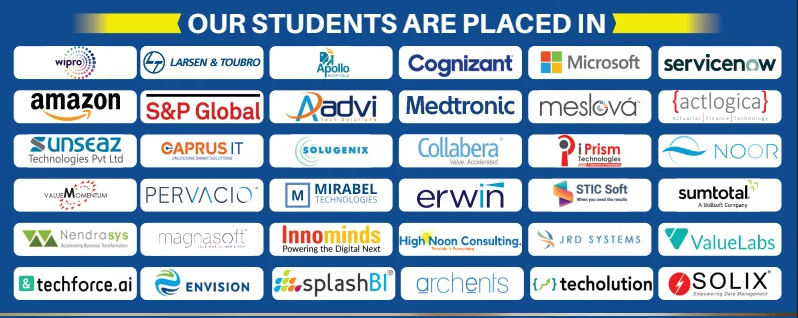
ALUMNI NETWORKCOMPANIES WHERE LEARNX LEARNERS BUILD THEIR CAREERS






























Marketing Masters, made simple.
Everything you need to understand the course before you begin.
Google Analytics 4 (GA4) · Google Search Console · SEMrush
Projects designed to help you explain your skills.
Make it more
than something you know.
Connect digital marketing concepts with practical work, from discovering audiences to planning and understanding campaigns. Move beyond understanding the concepts. Practice using them, connect the pieces, and build work you can explain.
Google Analytics 4 (GA4)Google Search ConsoleSEMrushAhrefsGoogle AdsMeta Ads ManagerActiveCampaignWordPressCanvaMailchimpHubSpotLooker Studio
DIRECTIONS YOU CAN EXPLORELearning supports your preparation. Role requirements and opportunities vary.
Digital Marketing Executive
SEO Specialist
Marketing Analyst
IS THIS THE RIGHT COURSE FOR YOU?Start where you are.
Start where you are.
Build toward where you want to go.
This path is designed for curious learners who want a structured way to practise Marketing Masters and create evidence of their progress.
01You want a clear, guided path instead of random tutorials.
02You learn best by trying ideas, getting feedback and improving.
03You want practical work you can confidently discuss.
Learn the tools.
Understand the thinking.
Google Analytics 4 (GA4)
Use it in context through guided practice and applied exercises.
Google Search Console
Use it in context through guided practice and applied exercises.
SEMrush
Use it in context through guided practice and applied exercises.
Ahrefs
Use it in context through guided practice and applied exercises.
Google Ads
Use it in context through guided practice and applied exercises.
Meta Ads Manager
Use it in context through guided practice and applied exercises.
ActiveCampaign
Use it in context through guided practice and applied exercises.
WordPress
Use it in context through guided practice and applied exercises.
Canva
Use it in context through guided practice and applied exercises.
Mailchimp
Use it in context through guided practice and applied exercises.
HubSpot
Use it in context through guided practice and applied exercises.
Looker Studio
Use it in context through guided practice and applied exercises.
A path that
makes sense.
Understand
Learn the core ideas and build your foundation.
Practise
Use the tools in short labs and guided challenges.
Build
Connect your skills in meaningful project work.
Explain
Share your approach, choices and outcomes with confidence.
ONE CONCEPT BUILDS ON THE NEXT
30 modulesThe curriculum.
A closer look at what you’ll explore. Open a module to see the topics inside.
0101 Introduction to Marketing
- Marketing Fundamentals
- Marketing Mix
- Inbound Vs Outbound Marketing
- Value Proposition
- USPs
- Branding & Brand Positioning
- Brand Equity
- KPI (Key Performance Indicators)
- What is Digital Marketing
- Digital Marketing Framework
- Digital Marketing Platforms and Strategies
- Areas of Digital Marketing
- Improving Brand Visibility
- Niche Targeted Traffic Concepts
- Understanding Leads
- Strategies for Lead Generation
- Case Studies of Digital marketing
0201 Content Marketing
- What is Marketing
- What is Content
- Content Strategy
- Types of Content
- Why Content
- Target Persona
- Story Telling
- Targeting Audience
- How Content is Important for Digital marketing
0302 How to Build a Website
- What is website
- Types of website
- World wide web (WWW)
- What is Domain
- Types of Domain
- WebHosting Concepts
- Domain Hosting Business
- Website Language and Technologies
- Basics of Html CSS
- Popular CMS
- What is Wordpress
- Layout of Website
- Planning and Conceptualizing a Website
- Create the website using wordpress
- How to Install Templates
- Tools and Panels in wordpress
- Plugins
0403 Search Engine Optimization
- What is Search engine optimization?
- Google Algorithms
- Importance of SEO in Digital Marketing
- Understanding the website
- Importance of keywords in SEO
- On Page Optimization
- Title Tag Optimization
- What is On Page Optimization
- Web layout Structure
- File Name organization
- Meta Tag Optimization
- Content Optimization
- Anchor tag optimization
- Canonical URL
- Using Robots.txt in websites
- Bread Crumbs
- Rich Snippets
- URL Redirection Techniques
- Google Webmasters Tools
- How to submit a website to GWT
- What is off Page Optimization
- Link Building Techniques
- Types of Linking Methods
- DoFollow and NoFollow
- Link Analysis Tools
- Directory Submissions
- Classified posting
- Social Bookmarking
- Cassifieds for Inbound Marketing.
- Guest Blogging
- Press Release
- What is Local Seo
- What is Local SEO
- Importance of Local SEO
- Submission to Google My Business
- Google My Business Page Optimization
- Local SEO Ranking Signals
- Citations and Local Submissions
- SEO Reporting Diagnosis of SEO
- Website Position Analysis Website Monthly Reports.
0504 Search Engine Marketing
- What is website
- What Is SEM?
- Research and Analysis of Keywords
- Introduction to Keyword Search Types of keywords?
- Keyword Research Methodology Keyword Research tools
- Market Research and Analysis
- Competitor analysis
- What is Google Ads
- Types of Ads
- Understanding inorganic Search results
- Google Ads Overview
- Setting up a Google Ad Account
- Campaigns, Ad Groups, Ads, Keywords and Extensions
- Difference Between Search and Display campaign
- How does Google Rank Ads
- Understanding Adwords algorithm
- Quality Score
- Why Quality score is important?
- What is CTR? Why is it Important?
- Understanding bids. What is bidding strategy?
- Pros and Cons of Different Bid Strategy
- Creating search campaigns
- Types of search campaigns - Standard, All features, dynamic search & product listing google merchant center.
- Creating our first search campaign.
- Doing campaign level settings.
- Different types of local targeting.
- Enhanced CPC, WHat is CPA
- Types of Ad Extensions
- Understanding Ad Extensions
- Adding Ad Extensions In the campaigns
- Creating Ad Groups Using Tools
- Finding Relevant Keywords
- Adding Keywords in Ad Groups
- Keyword Planner Tool
- Understanding Types of Keywords
- Creating Ads
- How to Write Compelling Ad Copy.
- What is Conversion Tracking
- Optimizing Campaigns
- Importance of CTR
- Importance of quality score in optimization.
- Optimizing with conversion report,performing keywords & non-performing keywords.
- How decrease CPC.
- Analyzing competitors performance
- Display- Using display planner tool.
- Finding relevant websites for ads placement.
- What is remarketing?
- Setting up remarketing campaigns.
- Creating remarketing lists.
0605 Social Media Marketing
- What is Social Media and why it Matters?
- How does social media work?
- Social Media Frameworks
- Social Media Process
- Choosing your social media channels
- Social Media Planning
0706 Facebook Marketing and Advertising
- Understanding Facebook
- Facebook Pages, Groups, Messenger and Facebook Live
- Marketing Tools in Facebook
- Understanding Types of Facebook Ads
- Setting up Campaigns
- Optimization of Campaigns
- Facebook Pixels
0807 Instagram Marketing and Advertising
- Instagram Marketing Strategies
- Types of Instagram Ads
- Setting up Campaigns
- Optimization of Campaigns
- Instagram Analytics
Have a question about the syllabus?
Tools & platforms you’ll master.
Train hands-on across the production-ready tools, platforms and environments covered throughout the Marketing Masters program.







Learn it.
Then make it work.
Explore project examples from the course. Practical work helps connect what you’ve learned.

PROJECT / 01
Review Commenting System
Explore project
Reviews help the organizations to understand the performance of their work and perform analysis on their products by direct feedbacks from the customers. This system helps the customers to provide valuable information about the product, services and also feedback to the product owners. We develop this application by using HTML, CSS and Javascript.

PROJECT / 02
Online Multi-pay System
Explore project
Online Multi-pay System allows different customers to select multiple options for payment. All the major E-commerce applications has this feature by default. We implement CashOnDelivery, CreditCard and Debit Card payment options in this application. We use HTML, CSS and JavaScript to implement the application.
PROJECT / 03
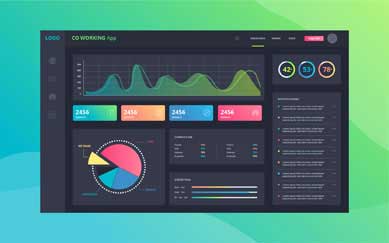
Co Working spaces management Application.
Explore project
Co Working Spaces is the latest trend for all startups. CSMA is the generic application that can be used by any CoWorking Space Provider to acclerate the business and also to provide excellent services to the clients. CSMA is implemented using Bootstrap, Angular, NodeJS, Express and MongoDB.

PROJECT / 04
Online Movie Data Platform.
Explore project
Movie Data platform is the one stop real-time information about any movies released so far. This platform allows the users to get authenticated and access the movies information that can be playable. We use Boostrap, Angular to develop this app.

PROJECT / 05
LetsMeet- A Collaboration tool
Explore project
This Collaboration portal helps different users to post their meet ups information. Admin is responsible to accept or decline any meet up posted by users. The complete information about the meet ups is available once the user gets registered and authenticated by the platform. We use HTML, CSS, Bootstrap, Angular to implement the tool.

PROJECT / 06
Online Results Management System.
Explore project
Online Results Management System is a generic application that can be used by any educational institution to make the results available to the students over the network. Admin is responsible to upload the results. The users need to get authenticated first and then access the results. We use Angular, MongoDB, ExpressJS, NodeJS for this application.

PROJECT / 07
SourceOne- Portal for Placements.
Explore project
SourceOne is the one stop solution for job seekers. This portal helps any job seeker to get the right information about jobs posted by different companies and able to apply them. Admin is responsible to manage jobs posted by companies. We use Angular, NodeJS, ExpressJS and MongoDB to implement the app.

PROJECT / 08
E-LoanSure - Loan Management System.
Explore project
E-LoanSure helps the customers to apply loans through portal. This application reduces lot of paper work and accelerate loan processing. E-LoanSure guarantees the faster loan approval processing for the customers. Different levels of Management authentication and authorization is provided in the application. We use Boostrap, Angular, MongoDB and ExpressJS to implement the system.
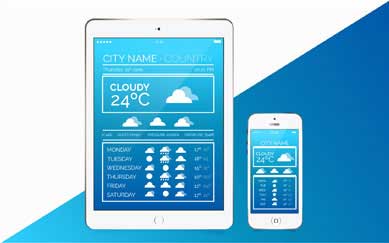
PROJECT / 09
WeatherFC
Explore project
WeatherFC helps the users to get detailed weather forecast information of different countries across the globe. This application does not need any credentials to access the information. WeatherFC is implemented using HTML,CSS, Boostrap and Angular.

PROJECT / 10
EasyABS
Explore project
EasyABS is the doctor Appointment Booking System. This application helps the users to get access to different doctors information in few clicks. EasyABS allows the patients to book their appointment according to their requirement. EasyABS is implemented using Angular, HTML,CSS, Bootstrap and Angular.
Less guessing.
More doing.
Try
Break down a concept with an instructor-led example.
Build
Apply it in a focused lab with a clear goal.
Check
Review what works, what does not and why.
Show
Keep the strongest work as evidence of your progress.
Build skills for
real possibilities.
The path you choose is personal. These are a few directions connected to the skills you’ll practise.
Room to ask.
Support to grow.
Flexible learning
Explore online and classroom options for your course.
Practical experience
Connect concepts through exercises, labs and projects.
Guided learning
Ask questions and develop understanding with support.
Career preparation
Explore portfolio development and interview preparation.
RECOGNITION FOR YOUR WORKFinish with a
Finish with a
certificate of completion.
Complete the Marketing Stack Masters learning path and its practical work to receive a LearnX Academy certificate of completion.
- Confirms your completed learning path
- Names the course or program you completed
- Supports your portfolio and job conversations
 LearnX Academy
This certificate recognises completion of
Marketing Stack MastersLEARNX ACADEMY · VERIFIED LEARNINGYour questions.
Who should take the Full stack web development course?
- Our Full Stack Development course has precisely been developed to reach out to the demand of the learners with keeping in mind the industry standards.
- This Full stack web development course will particularly be helpful for the career advancement of the following audience -
- Graduates from College.
- Currently working employees looking to upskill themselves.
- Candidates looking to explore other technology fields.
What are the prerequisites for the Full stack web development course?
There are no specific prerequisites for Full Stack training in Hyderabad. If you are familiar with programming and foundation skills with a sense of curiosity and willingness to learn you are all set for the Full Stack Development course.
When are the classes conducted?
Full Stack training Classes are conducted over the Weekdays and Weekends through classroom and online sessions. Please get in touch with the LearnX Academy team to get exact schedule and timings.
What is the duration of the Course?
Full stack Course duration is 50 hours.
What is the duration of the class?
Weekday full stack Training classes will be one hour long and Weekend classes will be three hours long.
What is the course curriculum?
Please find the detailed Full Stack Development course curriculum in the LearnX Academy full stack course curriculum section.
Do you help in Interview preparation?
Yes, we will assist our students with all the interview preparation techniques.
✳KEEP YOUR OPTIONS OPEN
Another spark
of curiosity.
Career programs01

Full Stack Masters
A bigger picture of building for the web.
Career programs02

CloudOps Masters
Connect your cloud and automation skills.
Career programs03

Job Ready Program
Make your next step a deliberate one.
READY TO GET STARTED?Let’s plan
Let’s plan
your next step.
Tell us what you want to learn.
We’ll help you find a course that fits.