Guided lessons, labs and practical exercises.
ONLINE & CLASSROOM
React
Training.
- Learn React with a clear, structured curriculum.
- Train with industry-focused concepts and tools.
- Choose classroom or online instructor-led learning.
- Practice with React 19 and JavaScript (ES6+) in guided exercises.
- Build projects and prepare for interviews with support.

LEARNX / COURSE
12 curriculum modules
Bring your interface ideas to life.
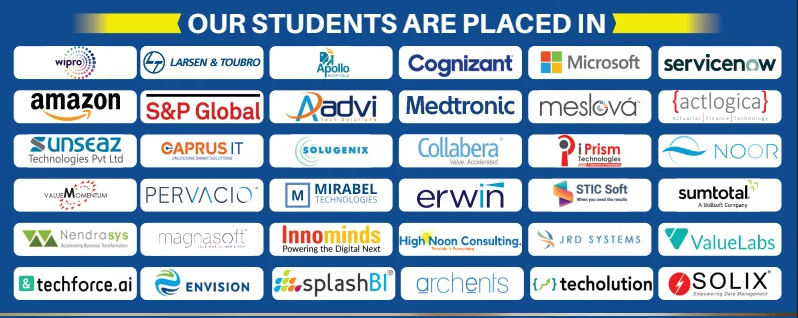
ALUMNI NETWORKCOMPANIES WHERE LEARNX LEARNERS BUILD THEIR CAREERS

















































React, made simple.
Everything you need to understand the course before you begin.
React 19 · JavaScript (ES6+) · TypeScript
Projects designed to help you explain your skills.
Make it more
than something you know.
Create interfaces people enjoy using. Explore components, state, routing and data through hands-on React development. Move beyond understanding the concepts. Practice using them, connect the pieces, and build work you can explain.
React 19JavaScript (ES6+)TypeScriptRedux ToolkitNext.jsReact RouterTailwind CSSHTML5 & CSS3Git & GitHubREST APIsJestVite
DIRECTIONS YOU CAN EXPLORELearning supports your preparation. Role requirements and opportunities vary.
React Developer
Front-end Developer
UI Developer
IS THIS THE RIGHT COURSE FOR YOU?Start where you are.
Start where you are.
Build toward where you want to go.
This path is designed for curious learners who want a structured way to practise React and create evidence of their progress.
01You want a clear, guided path instead of random tutorials.
02You learn best by trying ideas, getting feedback and improving.
03You want practical work you can confidently discuss.
Learn the tools.
Understand the thinking.
React 19
Use it in context through guided practice and applied exercises.
JavaScript (ES6+)
Use it in context through guided practice and applied exercises.
TypeScript
Use it in context through guided practice and applied exercises.
Redux Toolkit
Use it in context through guided practice and applied exercises.
Next.js
Use it in context through guided practice and applied exercises.
React Router
Use it in context through guided practice and applied exercises.
Tailwind CSS
Use it in context through guided practice and applied exercises.
HTML5 & CSS3
Use it in context through guided practice and applied exercises.
Git & GitHub
Use it in context through guided practice and applied exercises.
REST APIs
Use it in context through guided practice and applied exercises.
Jest
Use it in context through guided practice and applied exercises.
Vite
Use it in context through guided practice and applied exercises.
A path that
makes sense.
Understand
Learn the core ideas and build your foundation.
Practise
Use the tools in short labs and guided challenges.
Build
Connect your skills in meaningful project work.
Explain
Share your approach, choices and outcomes with confidence.
ONE CONCEPT BUILDS ON THE NEXT
12 modulesThe curriculum.
A closer look at what you’ll explore. Open a module to see the topics inside.
01Introduction to HTML
- HTML Tags
- HTML Attributes
- HTML Editors
- HTML Document Structure
- HTML Headings
- HTML Paragraphs
- HTML Styles
- HTML Comments
- HTML Blocks, Classes, Ids
- HTML Tables
- HTML Lists
- HTML Images
- HTML Forms
- HTML File Paths
02Introduction to CSS
- Introduction to CSS
- CSS Selectors Inserting CSS in to HTML(Inline, Internal,External) Colors, Borders, Background, margins, padding.
- Working with core concepts of CSS
- Box/Model,Outline,Fonts,Links,Lists,Tables,Combinations
03JavaScript
- Introduction to JavaScript
- Scripting Languages and their usage Getting Started with JavaScript. History of JavaScript Variable Data types Real time examples
- Operators and control statements
- Types of Operators and their usage If statement If else statement If else if statement Real time examples while loop do-while loop for loop keywords used in control statements like return,break. Real time examples
- Working with Functions
- Defining Functions Function Expressions Calling Functions Function Scope Nested Functions First class functions IIFE Real time examples
- Working with Arrays
- Creating an Array. Accessing,Looping Over,removing elements. Array methods in detail. Real time examples Working with Numbers and Dates Numbers and its methods. Date and its methods. Real time examples
- Working with Strings
- Strings and its methods Real time examples
- Working with Objects
- Objects and properties Creating new objects Creating objects using create function this keyword Real time examples
- Working with Scopes and Events
- Types of Scopes in detail Different types of events with real time examples
- Working with Validations
- Basic Validations Advanced Validations Real time examples Understanding Garbage Collection and Best coding practices.
- Working with DOM
- Intro to DOM Methods,Documents, Elements Events Event Listener Working with DOM Navigation Nodes Collections Node Lists
04Bootstrap
- Bootstrap
- Images
- Jumbotron
- Alerts
- Buttons
- Button Groups
- Badges, ProgressBars
- Pagination
- Dropdowns
- Navs,Navbar
- Forms, Input
- Carousel
- Modal
- Tooltip
- Popover
- An application using Bootstrap 4
05Introduction to React
- Intro to React
- Overview
- Environment Setup
- Components
- State
- Props Overview
06Building blocks of ReactJS
- Component API
- Component Life Cycle
- Forms
- Events
- Refs
- Keys
- Router
07Getting Started with Youtube Clone App
- Getting Started with Youtube Clone App
- Project Setup
- A Taste of JSX
- More on JSX
- ES6 Import Statements
- ReactDOM vs React
- Differences Between Component Instances and Component Classes
- Render Targets
- Component Structure
- Youtube Search API Signup
- Export Statements
- Class-Based Components
- Handling User Events
- Introduction to State
- More on State
- Controlled Components
08Making API calls using AJAX
- Making API calls using AJAX
- Youtube Search Response
- Refactoring Functional Components to Class Components
- Props
- Building Lists with Map
- List Item Keys
- Video List Items
- Detail Component and Template Strings
- Handling Null Props
- Video Selection
- Styling with CSS
- Searching for Videos
- Throttling Search Term Input
Have a question about the syllabus?
Tools & platforms you’ll master.
Practise with the core technologies, developer software, libraries and platforms used in modern React workflows.









Learn it.
Then make it work.
Explore project examples from the course. Practical work helps connect what you’ve learned.

PROJECT / 01
Review Commenting System
Explore project
Reviews help the organizations to understand the performance of their work and perform analysis on their products by direct feedbacks from the customers. This system helps the customers to provide valuable information about the product, services and also feedback to the product owners. We develop this application by using HTML, CSS and Javascript.

PROJECT / 02
Online Multi-pay System
Explore project
Online Multi-pay System allows different customers to select multiple options for payment. All the major E-commerce applications has this feature by default. We implement CashOnDelivery, CreditCard and Debit Card payment options in this application. We use HTML, CSS and JavaScript to implement the application.
PROJECT / 03
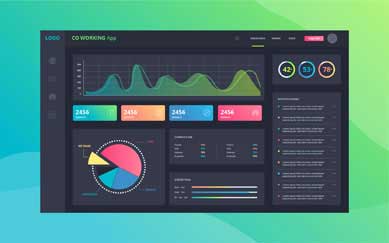
Co Working spaces management Application.
Explore project
Co Working Spaces is the latest trend for all startups. CSMA is the generic application that can be used by any CoWorking Space Provider to acclerate the business and also to provide excellent services to the clients. CSMA is implemented using Bootstrap, ReactJS, NodeJS, Express and MongoDB.

PROJECT / 04
Online Movie Data Platform.
Explore project
Movie Data platform is the one stop real-time information about any movies released so far. This platform allows the users to get authenticated and access the movies information that can be playable. We use Bootstrap, ReactJS to develop this app.

PROJECT / 05
LetsMeet- A Collaboration tool.
Explore project
This Collaboration portal helps different users to post their meet ups information. Admin is responsible to accept or decline any meet up posted by users. The complete information about the meet ups is available once the user gets registered and authenticated by the platform. We use HTML, CSS, Bootstrap, ReactJS to implement the tool.

PROJECT / 06
Online Results Management System.
Explore project
Online Results Management System is a generic application that can be used by any educational institution to make the results available to the students over the network. Admin is responsible to upload the results. The users need to get authenticated first and then access the results. We use ReactJS, MongoDB, ExpressJS, NodeJS for this application.
Less guessing.
More doing.
Try
Break down a concept with an instructor-led example.
Build
Apply it in a focused lab with a clear goal.
Check
Review what works, what does not and why.
Show
Keep the strongest work as evidence of your progress.
Build skills for
real possibilities.
The path you choose is personal. These are a few directions connected to the skills you’ll practise.
Room to ask.
Support to grow.
Flexible learning
Explore online and classroom options for your course.
Practical experience
Connect concepts through exercises, labs and projects.
Guided learning
Ask questions and develop understanding with support.
Career preparation
Explore portfolio development and interview preparation.
RECOGNITION FOR YOUR WORKFinish with a
Finish with a
certificate of completion.
Complete the React Development learning path and its practical work to receive a LearnX Academy certificate of completion.
- Confirms your completed learning path
- Names the course or program you completed
- Supports your portfolio and job conversations
 LearnX Academy
This certificate recognises completion of
React DevelopmentLEARNX ACADEMY · VERIFIED LEARNINGYour questions.
Who should take this course?
- Our React js training has precisely been developed to reach out to the demand of the learners by keeping in mind the industry standards. This React js course will particularly be helpful for the career advancement of the following audience -
- Graduates from the College.
- Currently working employees looking to upskill themselves.
- Candidates looking for a change in the IT Field.
What are the prerequisites for the Course?
As such, there are no specific prerequisites for React js Training in Hyderabad. If you are familiar with programming and foundation skills with a sense of curiosity and willingness to learn you are all set for the React js training.
When are the classes conducted?
React js Training Classes are conducted over the Weekdays and Weekends through classroom and online sessions. Please get in touch with the LearnX Academy team to get the exact schedule and timings.
Who are the Faculty?
Our React js faculty has over 12 years of industry experience.
What is the duration of the Course?
React js Course duration is 50 hours.
What is the duration of the class?
Weekday React js Training classes will be one hour long and Weekend classes will be three hours long.
What is the course curriculum?
Please find the detailed React js course curriculum in the LearnX Academy React js training curriculum section.
Do you help in Interview preparation?
Yes, we will assist our students with all the interview preparation techniques
✳KEEP YOUR OPTIONS OPEN
Another spark
of curiosity.



READY TO GET STARTED?Let’s plan
Let’s plan
your next step.
Tell us what you want to learn.
We’ll help you find a course that fits.