Guided lessons, labs and practical exercises.
ONLINE & CLASSROOM
AWS
Training.
- Learn AWS Cloud with a clear, structured curriculum.
- Train with industry-focused concepts and tools.
- Choose classroom or online instructor-led learning.
- Practice with AWS EC2 and AWS S3 in guided exercises.
- Build projects and prepare for interviews with support.
LEARNX / COURSE
14 curriculum modules
Turn cloud concepts into working infrastructure.
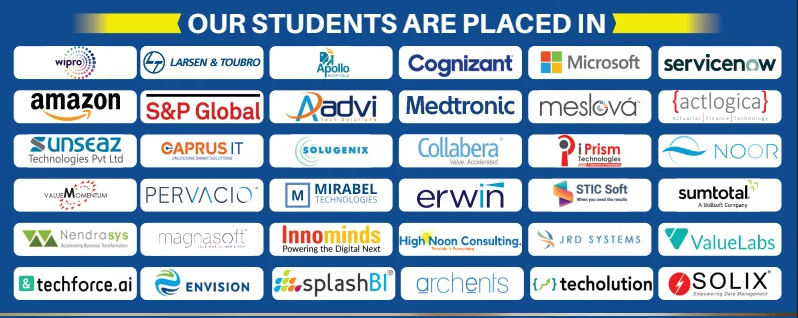
ALUMNI NETWORKCOMPANIES WHERE LEARNX LEARNERS BUILD THEIR CAREERS















































AWS Cloud, made simple.
Everything you need to understand the course before you begin.
AWS EC2 · AWS S3 · AWS IAM
Projects designed to help you explain your skills.
Make it more
than something you know.
Understand the cloud by working with it. Explore infrastructure, networking, storage and deployment with Amazon Web Services. Move beyond understanding the concepts. Practice using them, connect the pieces, and build work you can explain.
AWS EC2AWS S3AWS IAMAWS VPCAWS LambdaAWS RDSCloudWatchRoute 53Elastic Load BalancingCloudFormationAWS CLIDocker
DIRECTIONS YOU CAN EXPLORELearning supports your preparation. Role requirements and opportunities vary.
Cloud Engineer
AWS Developer
Cloud Administrator
IS THIS THE RIGHT COURSE FOR YOU?Start where you are.
Start where you are.
Build toward where you want to go.
This path is designed for curious learners who want a structured way to practise AWS Cloud and create evidence of their progress.
01You want a clear, guided path instead of random tutorials.
02You learn best by trying ideas, getting feedback and improving.
03You want practical work you can confidently discuss.
Learn the tools.
Understand the thinking.
AWS EC2
Use it in context through guided practice and applied exercises.
AWS S3
Use it in context through guided practice and applied exercises.
AWS IAM
Use it in context through guided practice and applied exercises.
AWS VPC
Use it in context through guided practice and applied exercises.
AWS Lambda
Use it in context through guided practice and applied exercises.
AWS RDS
Use it in context through guided practice and applied exercises.
CloudWatch
Use it in context through guided practice and applied exercises.
Route 53
Use it in context through guided practice and applied exercises.
Elastic Load Balancing
Use it in context through guided practice and applied exercises.
CloudFormation
Use it in context through guided practice and applied exercises.
AWS CLI
Use it in context through guided practice and applied exercises.
Docker
Use it in context through guided practice and applied exercises.
A path that
makes sense.
Understand
Learn the core ideas and build your foundation.
Practise
Use the tools in short labs and guided challenges.
Build
Connect your skills in meaningful project work.
Explain
Share your approach, choices and outcomes with confidence.
ONE CONCEPT BUILDS ON THE NEXT
14 modulesThe curriculum.
A closer look at what you’ll explore. Open a module to see the topics inside.
01AWS Overview
- Fundamentals of Cloud
- Fundamentals of Virtualization
- Cloud Service Offerings
- Cloud Deployment Models
- History and Evolution of AWS
- Overview of AWS Products and Services
- Walk through of AWS Free Tier Account
- AWS Global Infrastructure
- AWS Terminologies
02Identity and Access Management (IAM)
- Account & Services Layer
- IAM Overview
- IAM Policies
- IAM Users
- IAM Groups
- IAM Roles
- IAM Best Practices
- Hands On
- Creating an IAM Policy
- Creating an IAM User
- Creating an IAM Group
- Creating an IAM Role
03Amazon Virtual Private Cloud (VPC)
- Networking Layer
- Traditional Network Components
- Amazon VPC Overview
- VPC Features
- Default VPC vs Custom VPC
- VPC Routing Basics
- Gateways
- Subnets
- Route Tables
- NACL’s
- Security Groups
- VPC Best Practices
- Hands On
- Creating a custom VPC
- Creating an Elastic IP Address
- Creating Subnets
- Creating Internet Gateways
- Creating Route Tables
- Creating a Security Group
- Network ACL Overview
04Elastic Cloud Compute – EC2
- Virtualization basics
- Amazon EC2 Overview
- Amazon Machine Images (AMI)
- EC2 Instance Types
- EC2 Purchase Options
- User data& Metadata
- Amazon Elastic Block Store (EBS)
- EBS Snapshots
- Placement Groups
- EC2 Best Practices
- Hands On
- Launch and connect to an EC2 Linux instance
- Launch and connect to an EC2 Windows instance
- Attaching EBS Volumes
- Create an AMI
- Copy AMI & Snapshots to other regions
05Elastic File System
- Introduction To EFS
- EBS vs EFS vs S3
- Provision EFS
- Connect EFS To Multiple EC2 Instances
06High Availability
- High Available VPC Design
- Introduction to Load Balancing
- Generic Load Balancer - NGINX
- Classic Load Balancer
- Network Load Balancer
- Application Load Balancer
- Hands on
- Implementing Generic Load Balancer - NGINX
- Implementing Classic Load Balancer
- Implementing Network Load Balancer
- Implementing Application Load Balancer
07Fault Tolerance
- Introduction to Fault Tolerance
- Launch Configuration
- Auto Scaling Group
- Hands on
- Auto Scaling
- Attach Load Balancer to Auto Scaling
08Advanced VPC Techniques
- VPC Peering
- Bastion Hosts
- Nat Gateway
- Hands on
Have a question about the syllabus?
Tools & platforms you’ll master.
Practise with the core technologies, developer software, libraries and platforms used in modern AWS Cloud workflows.













Learn it.
Then make it work.
Explore project examples from the course. Practical work helps connect what you’ve learned.

PROJECT / 01
Designing Highly Available and Secured Virtual Private Cloud
Explore project
This Project will showcase how network can be build on AWS. Concepts Used : VPC, Subnets, Route Tables, NACL's, Security Groups

PROJECT / 02
Server Management on AWS
Explore project
This Project will showcase how to host and manage the servers on AWS. Concepts Used : EC2, AMI's, EBS Snapshots

PROJECT / 03
Designing High Availability For Applications
Explore project
This Project will showcase how an application will get high availability using Load Balancers Concepts Used : VPC, EC2, ELB
PROJECT / 04
Designing Fault Tolerance For Applications
Explore project
This Project will showcase how to achieve fault tolerance for applications using Auto Scaling. Concepts Used : CloudWatch, ELB, Auto Scaling

PROJECT / 05
Designing a Highly Available, Fault Tolerant, Secured and Scalable Static Applications on AWS
Explore project
This Project will showcase how to Host Static Application on AWS with best practices Concepts Used : VPC, EC2, ELB, ASG, CloudWatch, SNS

PROJECT / 06
Designing a Highly Available, Fault Tolerant, Secured and Scalable Dynamic Applications on AWS
Explore project
This Project will showcase how to Host Dynamic Application on AWS with best practices Concepts Used : VPC, EC2, ELB, ASG, CloudWatch, SNS, RDS
Less guessing.
More doing.
Try
Break down a concept with an instructor-led example.
Build
Apply it in a focused lab with a clear goal.
Check
Review what works, what does not and why.
Show
Keep the strongest work as evidence of your progress.
Build skills for
real possibilities.
The path you choose is personal. These are a few directions connected to the skills you’ll practise.
Room to ask.
Support to grow.
Flexible learning
Explore online and classroom options for your course.
Practical experience
Connect concepts through exercises, labs and projects.
Guided learning
Ask questions and develop understanding with support.
Career preparation
Explore portfolio development and interview preparation.
RECOGNITION FOR YOUR WORKFinish with a
Finish with a
certificate of completion.
Complete the Amazon Web Services learning path and its practical work to receive a LearnX Academy certificate of completion.
- Confirms your completed learning path
- Names the course or program you completed
- Supports your portfolio and job conversations
 LearnX Academy
This certificate recognises completion of
Amazon Web ServicesLEARNX ACADEMY · VERIFIED LEARNINGYour questions.
Who should take this course?
- Our AWS training has precisely been developed to reach out to the demand of the learners with keeping in mind the industry standards. This AWS course will particularly be helpful for the career advancement of the following audience -
- Graduates from the College.
- Currently working employees looking to upskill themselves.
- Candidates looking for a change in the IT Field.
What are the prerequisites for the AWS Course?
As such, there are no specific prerequisites for AWS Training in Hyderabad. If you are familiar with programming and foundation skills with a sense of curiosity and willingness to learn you are all set for the AWS training.
When are the classes conducted?
AWS Training Classes are conducted over the Weekdays and Weekends through classroom and online sessions. Please get in touch with the LearnX Academy team to get exact schedule and timings.
What is the duration of the Course?
AWS Course duration is 50 hours.
What is the duration of the class?
Weekday AWS Training classes will be one hour long and Weekend classes will be three hours long.
What is the course curriculum?
Please find the detailed AWS course curriculum in the LearnX Academy AWS training curriculum section.
Do you help in Interview preparation?
Yes, we will assist our students with all the interview preparation techniques
✳KEEP YOUR OPTIONS OPEN
Another spark
of curiosity.
Development01

Full Stack Development
Build the web, from front to back.
Development02

Python Programming
Write code that solves real problems.
Cloud & DevOps03

DevOps Engineering
Build, automate, deploy. Repeat.
READY TO GET STARTED?Let’s plan
Let’s plan
your next step.
Tell us what you want to learn.
We’ll help you find a course that fits.